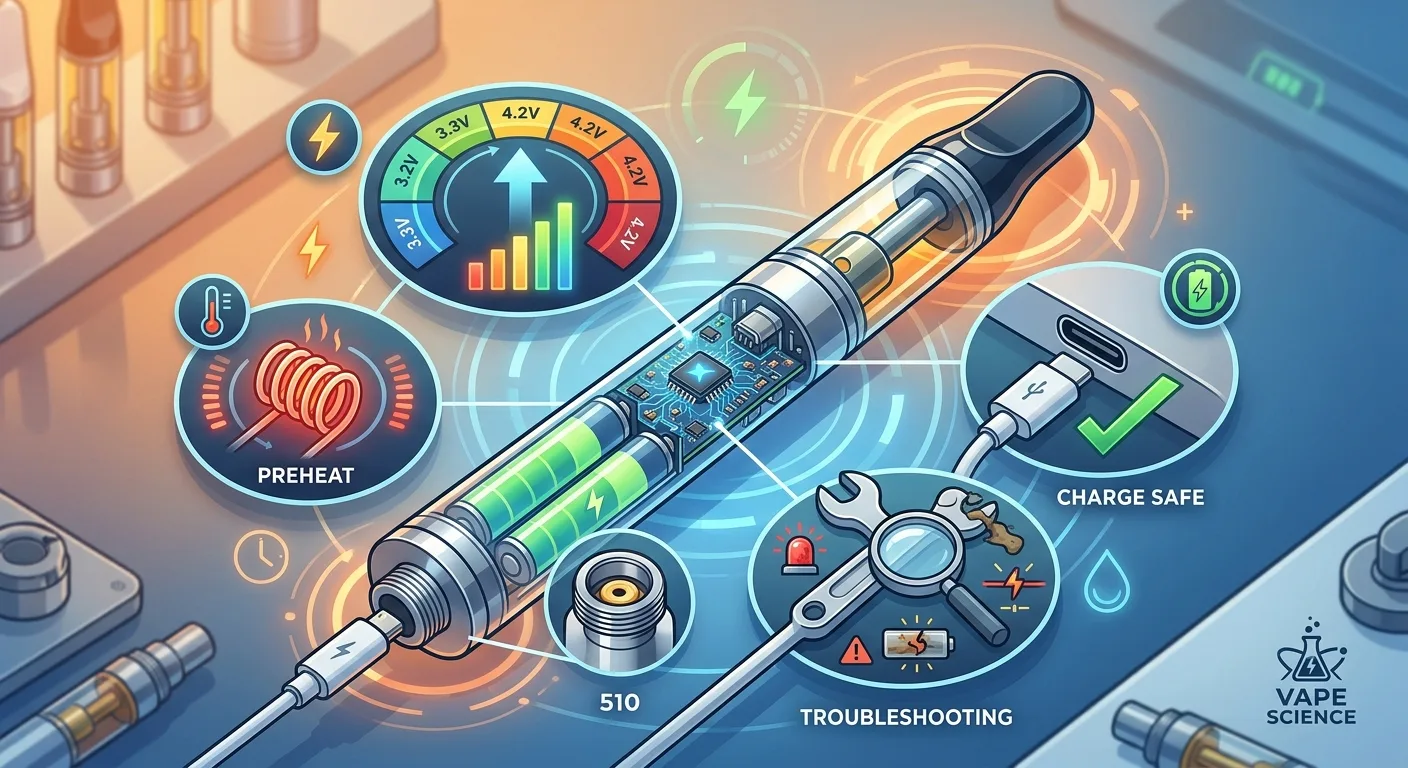
Your vape cart tastes burnt. Or maybe it won't hit at all. Or perhaps you're wondering why your battery has three voltage settings when your friend swears by just one. Before you blame the cartridge or assume you got a dud, understand this: the battery is the most misunderstood piece of cannabis hardware in Canada, and it's almost always the real culprit when something goes wrong.
The 510 thread battery is the universal power source for cannabis vape cartridges across North America. That familiar screw-on connection has standardized the industry, but the batteries themselves range from gas station impulse buys to precision tools with adjustable voltage, preheat functions, and draw sensors. Most users never learn what those settings actually do, which means they're either scorching expensive live resin at high voltage or getting weak hits because they're locked on the wrong setting for their cart's viscosity. This guide breaks down exactly how voltage affects flavour and vapour production, why preheat modes exist, how to charge your battery without destroying it, and when the battery itself is failing rather than the cartridge.
Understanding 510 Thread: The Universal Vape Standard
The term "510 thread" refers to the screw-on connection that has become the industry standard for vape cartridges and batteries. The number comes from the original design specifications: 10 threads at 0.5mm spacing. This threading pattern was developed by Joyetech for nicotine vaping in the mid-2000s and was quickly adopted by the cannabis industry because it created perfect interoperability between products.
What this means for you: any 510 battery will physically fit any 510 cartridge, regardless of brand or origin. A cart purchased in Montreal will thread onto a battery bought in Vancouver. This standardization has made vaping the most accessible cannabis consumption method in Canada, but it's also created confusion because not all combinations perform equally well.
The threading itself is male on the cartridge and female on the battery. The electrical connection happens through the centre pin at the base of the cart, which makes contact with the battery's positive terminal. The threaded exterior serves as the negative ground connection. This simple two-point contact system is incredibly reliable when components are manufactured properly, but it's also the source of most connection issues when either surface gets dirty or damaged.
Why Thread Quality Matters More Than You Think
Cheap batteries often have loose threading that allows cartridges to wobble or fail to make solid electrical contact. This isn't just annoying, it directly affects performance. Poor contact creates resistance, which alters the effective voltage reaching your cart's heating element. A loose connection can turn a 3.2V setting into an effective 2.8V output, giving you weak hits despite selecting the right voltage.
Quality 510 batteries use precision-machined brass or stainless steel threading that maintains consistent contact pressure. The centre pin should have slight spring tension, allowing it to maintain contact even as carts with slightly different pin depths are attached. Budget batteries often use fixed pins that either push too hard against the cart (damaging the cartridge's contact) or sit too recessed (creating intermittent connection).
Voltage Settings Explained: How Power Affects Your Experience
Voltage is the single most important variable in vape performance, yet it's the setting most users never adjust or understand. Your battery's voltage determines how much power flows to the heating element in your cartridge, which directly controls vapour production, flavour intensity, and how quickly you go through your oil.
Most adjustable 510 batteries offer three to five voltage settings ranging from 2.4V to 4.2V. Here's what actually happens at each level:
Low Voltage (2.4V - 2.8V): The Flavour Range
Low voltage produces gentle heat that vapourizes cannabinoids and terpenes without degrading them. This range preserves the complex flavour profile of quality concentrates, especially live resin and rosin carts where terpene preservation is the entire point. The vapour production is modest, the throat hit is smooth, and you'll taste every note in the terpene profile.
When to use low voltage: Live resin cartridges, rosin carts, any premium concentrate where you paid for flavour. First thing in the morning when you don't want harsh hits. When you're trying to make a cart last longer, since lower temps consume oil more slowly. Live resin and rosin concentrates are specifically designed to showcase terpene complexity, which gets destroyed at high temperatures.
The downside: weak vapour clouds, slower onset, potentially clogged carts if the oil is thick and the voltage is too low to fully liquify it. Winter users in cold climates often can't use low voltage settings because room-temperature oil is too viscous.
Medium Voltage (3.0V - 3.4V): The Balanced Middle
This is the Goldilocks zone for most cartridges and most users. Medium voltage provides strong vapour production while still preserving most of the terpene profile. You get satisfying throat hit, visible clouds, and good flavour without scorching the oil.
Most cartridges are designed to perform optimally between 3.2V and 3.4V. The heating element resistance is calculated assuming this voltage range, which means the temperature stays in the sweet spot for cannabinoid vapourization (around 315°F to 356°F) without crossing into combustion territory.
When to use medium voltage: Distillate cartridges, most commercial carts, daily driver consumption when you want efficiency and flavour balance. This is the "set it and forget it" range that works for 80% of situations.
High Voltage (3.6V - 4.2V): The Cloud Chaser Setting
High voltage pushes maximum power to the heating element, creating thick vapour clouds and intense throat hit. The onset is fast, the effect feels stronger (because you're getting more THC per puff), and the oil drains quickly. This setting obliterates subtle terpene flavours, often leaving a generic "burnt" taste regardless of what strain you started with.
When to use high voltage: Thick winter oil that won't flow at lower settings. Distillate carts where flavour is already minimal. When you need fast onset for acute symptom relief. When a cart is nearly empty and you're trying to vapourize the last bits clinging to the wick. That's it. High voltage is a tool for specific situations, not a default setting.
What actually happens at high voltage: the heating element reaches 400°F+ temperatures where terpenes degrade into benzene derivatives and other compounds that taste harsh. You're not getting "stronger" effects from your oil, you're just consuming more of it per puff while destroying the entourage effect that made it effective in the first place.
Why Some Carts Taste Better at Different Voltages
Cartridge construction varies significantly. The resistance of the heating coil (measured in ohms) determines how hot it gets at any given voltage. A 1.2-ohm cart at 3.2V produces completely different temperatures than a 1.8-ohm cart at the same voltage. This is why you might find one cart performs beautifully at 2.8V while another barely produces vapour at the same setting.
Quality cartridge manufacturers print recommended voltage ranges on the packaging. Budget carts rarely include this information, forcing you to experiment. Start low, increase gradually, and stop when you taste the first hint of harshness. That's your upper limit for that specific cart.
Preheat Function: What It Does and When You Need It
The preheat function (sometimes called "prime" mode) sends low-voltage power to your cartridge for 10 to 15 seconds before you take a draw. It serves one specific purpose: liquifying thick oil so it flows into the heating element's wicking material.
How it works: when you activate preheat (usually by pressing the fire button twice or three times, depending on your battery), the device sends approximately 2.0V to 2.4V through the cart. This gentle heat warms the oil without vapourizing it, reducing viscosity and allowing it to saturate the wick. When you take your actual draw, the properly-saturated wick produces consistent vapour instead of dry hits.
When Preheat Actually Helps
Preheat is essential in three scenarios. First: cold environments. If your cart has been sitting in a winter jacket pocket in Ottawa February weather, the oil is practically solid. A preheat cycle brings it back to workable viscosity without scorching the outer layer. Second: thick concentrates. Live resin and rosin carts contain higher percentages of terpenes and cannabinoids with less cutting agent, making them naturally more viscous. Third: first hit of the day when a cart has been sitting unused for 12+ hours and the oil has settled away from the wick.
When preheat wastes oil: using it on warm, thin distillate carts in summer. The oil is already liquid, and preheat just evaporates cannabinoids into the air chamber without producing useful vapour. Troubleshooting cart performance starts with understanding when preheat helps versus when it's the wrong tool.
Preheat vs Just Drawing Slowly
Some users skip preheat entirely and just take a long, slow first draw to warm the cart. This works, but it's less efficient. Without preheat, you're pulling air through the cart while the element heats up, which cools the coil through convection. Preheat allows the element to reach target temperature in a closed system, then you draw through an already-hot cart. The result is better flavour and more complete vapourization on that critical first hit.
Charging Safety: How to Not Destroy Your Battery
Lithium-ion batteries power every 510 vape pen sold in Canada, and lithium-ion batteries have specific charging requirements that most users violate daily. Improper charging doesn't just reduce battery lifespan, it creates legitimate safety risks including thermal runaway (the technical term for "your battery catching fire").
The USB Charger Problem
Most 510 batteries include a USB charging cable, either micro-USB or USB-C. That cable plugs into any USB port, which is where the problems start. USB ports on computers output different amperages than wall adapters. Phone chargers, especially fast-charging adapters for modern smartphones, push 2.4A or higher. Your 510 battery is designed for 0.5A to 1A charging maximum.
What happens with wrong amperage: overcharging current creates excessive heat in the battery cell. Lithium-ion batteries degrade exponentially faster at elevated temperatures. A battery charged daily with a 2.4A fast charger might last 3 months before capacity drops noticeably. The same battery charged with proper 1A current lasts 12+ months. The battery doesn't warn you this is happening, it just slowly holds less charge until one day it barely makes it through an afternoon.
Proper Charging Protocol
Use the included cable with a USB port that outputs 1A or less. Computer USB ports are generally safe. Dedicated 1A wall adapters (the kind that came with older phones) are ideal. Modern phone fast chargers are too powerful. If you only have access to fast chargers, try to avoid charging overnight, instead charge in 1 to 2 hour sessions and remove the battery when the indicator light shows full.
Never charge overnight as standard practice. Cheap 510 batteries lack overcharge protection circuits. Even batteries with protection occasionally fail. Charging overnight means the battery sits at 100% capacity for hours, which stresses the cells and shortens lifespan. Charge during times you can monitor it, unplug when full, and you'll triple the effective life of the battery.
Signs Your Battery Has Been Damaged By Charging
Reduced runtime is obvious, but other signs appear first. The battery gets noticeably warm during normal use (not while charging, during actual vaping). The charge indicator light behaves erratically, showing full charge then dropping to low within minutes. The battery loses charge when sitting unused, draining from full to dead over a few days without being fired. These symptoms indicate cell degradation from charging abuse.
Once a lithium-ion cell degrades significantly, it cannot be restored. Unlike older nickel-cadmium batteries, lithium cells don't have "memory effect" that can be cleared by full discharge cycles. Degraded is degraded. This is why proper charging habits from day one matter.
When the Battery Is the Problem (Not the Cart)
Users blame cartridges for performance issues at roughly 10 times the rate they blame batteries, yet batteries fail at least as often. Learning to identify battery-specific problems saves money and frustration, especially in Canada's grey market where product exchanges can be complicated.
The Weak Hit Test
If every cartridge you attach produces weak vapour regardless of voltage setting, the battery's output is degraded. This happens when the internal voltage regulation circuit fails partially, delivering lower voltage than the selected setting indicates. A battery set to 3.6V might only output 2.9V, giving you disappointing performance that seems like a cart problem but isn't.
How to test: try the same cart on a different battery. If vapour production immediately improves, your original battery has output issues. If the cart still underperforms, the cart itself is the problem. Clogged cartridges have specific symptoms that differ from battery output problems.
The Intermittent Connection Problem
Cartridges that work sometimes but not others, requiring you to unscrew and reattach them repeatedly, almost always indicate battery connection issues rather than cart defects. The spring-loaded centre pin has lost tension or the threading has become damaged, preventing consistent electrical contact.
Try this diagnostic: with the cart attached, press gently downward on the cartridge while firing. If this produces vapour when normal firing doesn't, your battery's pin isn't making contact without extra pressure. You can sometimes fix this by gently prying up the centre pin with a small screwdriver (with the battery off and no cart attached), but this is temporary. Batteries with connection problems rarely improve permanently.
The Auto-Fire Danger
Batteries that fire without the button being pressed have a failed draw sensor or stuck button mechanism. This is dangerous. An auto-firing battery will drain your cart, potentially burn the heating element, and in worst cases overheat the battery cell itself. The moment a battery exhibits auto-fire behavior, stop using it immediately.
Button-activated batteries that seem to fire in your pocket have stuck buttons from oil or debris infiltration. Draw-activated batteries that fire spontaneously have sensor failures. Neither is safe to continue using, regardless of how new or expensive the battery was.
Cleaning Solves Half of All "Broken" Batteries
Before declaring a battery dead, clean the connection thoroughly. Oil leaking from carts migrates into the threading and onto the centre pin, creating resistance that mimics battery failure. Remove any attached cart, dip a cotton swab in isopropyl alcohol (70% or higher), and clean the threads and centre pin contact. Let it dry completely (alcohol evaporates in minutes), then test again.
The transformation can be dramatic. A battery that was producing weak, inconsistent hits often returns to full performance after simple cleaning. The contact resistance from a thin film of oil might reduce effective voltage by 0.5V or more, which is the difference between satisfying hits and disappointment.
Battery Types and Features That Actually Matter
The 510 battery market offers everything from $8 stick batteries to $80 devices with OLED screens and smartphone apps. Most features are marketing gimmicks, but a few genuinely improve the vaping experience.
Button vs Draw-Activated: The Reliability Trade-Off
Draw-activated batteries fire when you inhale, no button pressing required. They're intuitive and discreet, but they introduce a failure point: the airflow sensor that detects your draw. These sensors occasionally malfunction, causing auto-fire or failure to activate. They also can't support preheat functions effectively since preheat requires activation without airflow.
Button-activated batteries require pressing a button to fire, adding a learning curve but removing sensor failure from the equation. Quality button batteries last longer on average simply because there's one less component to break. The best batteries offer both modes, letting you choose button or draw activation based on situation.
Variable Voltage vs Preset: Control vs Simplicity
Preset voltage batteries offer 2 to 3 fixed settings, usually indicated by LED colour (green for low, blue for medium, red for high). Variable voltage batteries let you dial in exact voltage in 0.1V increments, displayed on a screen. For most users, preset options are sufficient. The difference between 3.2V and 3.3V is imperceptible in actual use. Variable voltage matters if you're using carts with unusual resistance values or trying to perfectly match a manufacturer's recommended setting.
The real advantage of variable voltage devices is the voltage display itself, which helps you understand what setting you're actually using and replicate results across sessions. Preset batteries use colour codes that are easy to forget or confuse.
Battery Capacity: mAh Numbers Explained
Battery capacity is measured in milliamp hours (mAh). A 400mAh battery holds enough charge for roughly 80 to 120 puffs. A 900mAh battery delivers 180 to 270 puffs. Real-world performance depends on voltage settings (higher voltage drains faster) and cart resistance.
For reference: heavy users who take 50+ puffs daily need minimum 650mAh to avoid daily charging. Moderate users (20 to 30 puffs daily) can work with 400mAh batteries. The physical trade-off is size. High-capacity batteries are larger and heavier, making them less pocket-friendly but more practical for full-day use.
Features You Can Skip
Bluetooth connectivity and smartphone apps add cost without improving actual vaping performance. OLED screens displaying puff count or session duration are interesting the first day, then irrelevant. RGB lighting is purely cosmetic. Adjustable airflow (found on some advanced batteries) can improve draw resistance but introduces another potential failure point. Focus on: reliable voltage control, adequate battery capacity for your usage pattern, and solid build quality. Everything else is secondary.
Extending Battery Life and When to Replace
Proper care extends 510 battery lifespan from months to years, but all lithium-ion cells eventually degrade beyond usefulness. Knowing when to retire a battery versus when to troubleshoot it saves money and prevents the frustration of mediocre performance.
Usage Habits That Destroy Batteries Faster
Leaving batteries fully discharged for extended periods (weeks or months) causes permanent capacity loss. Lithium cells degrade faster at 0% than at any other charge state. If you won't use a battery for a while, charge it to 40 to 60% before storage. Exposing batteries to temperature extremes also accelerates degradation. Batteries left in hot cars in summer or frozen cars in winter suffer permanent damage to the cells, even if they seem to work normally afterward.
Chain vaping (taking multiple hits in quick succession) overheats the battery and forces the cells to deliver current at rates they're not designed for. Give the battery 30 seconds between hits during heavy use sessions. This allows the cells to stabilize and prevents the cumulative heat buildup that degrades capacity.
Optimal Charging Strategy
Lithium-ion batteries last longest when kept between 20% and 80% charge. This is obviously impractical for daily use devices, but understanding the principle helps. Avoid running the battery to complete dead unless necessary, and don't feel obligated to charge to 100% every time. Partial charges throughout the day are actually healthier than full 0 to 100% cycles. Many heavy users keep two batteries in rotation, swapping when one hits 30 to 40% rather than fully draining either one.
When to Replace vs When to Repair
Replace the battery when: runtime has dropped to less than half of original performance despite proper charging, the battery body is physically damaged or swollen (swelling indicates dangerous cell failure), connection problems persist after thorough cleaning, or auto-fire behavior occurs. These issues don't improve with troubleshooting.
Troubleshoot and keep using when: weak hits improve after cleaning connections, intermittent performance is resolved by adjusting the centre pin, or the battery works perfectly but just needs charging more frequently than it used to (mild capacity loss is normal ageing, not failure).
510 batteries are consumable items like phone batteries. Expect to replace them every 12 to 18 months with proper care, or every 6 to 8 months with heavy use and typical charging habits. When performance degrades to the point where you're constantly troubleshooting, replacement becomes more cost-effective than continuing to fight with failing hardware. Quality replacement batteries are inexpensive enough that struggling with a degraded unit makes no sense.
Premium Vape Hardware & Cartridges
Shop batteries designed for Canadian cannabis users. Variable voltage, reliable connections, and proper capacity for daily use.
Browse Vape ProductsFrequently Asked Questions
Start at 2.6V to 2.8V for live resin carts. These concentrates contain high terpene content that degrades above 315°F, and low voltage preserves the flavour complexity you paid for. If vapour production is too weak, increase to 3.0V maximum. Live resin should never be vaped above 3.2V.
Blinking patterns indicate specific issues. Three blinks usually means the cartridge isn't making proper connection or has a short. Five blinks typically indicates low battery charge. Ten rapid blinks often signals the battery's safety cutoff has activated, usually from attempting to draw longer than 10 seconds. Check your battery's manual as blink codes vary by manufacturer.
Use chargers rated at 1A (1000mA) output or lower. Modern phone fast chargers (2.4A+) push too much current and will degrade your battery rapidly. Computer USB ports are generally safe. The included cable is designed for proper amperage, but the wall adapter you plug it into determines actual charging current.
Test the cart on a different battery. If performance improves, your original battery has degraded output. If the cart still produces weak vapour.