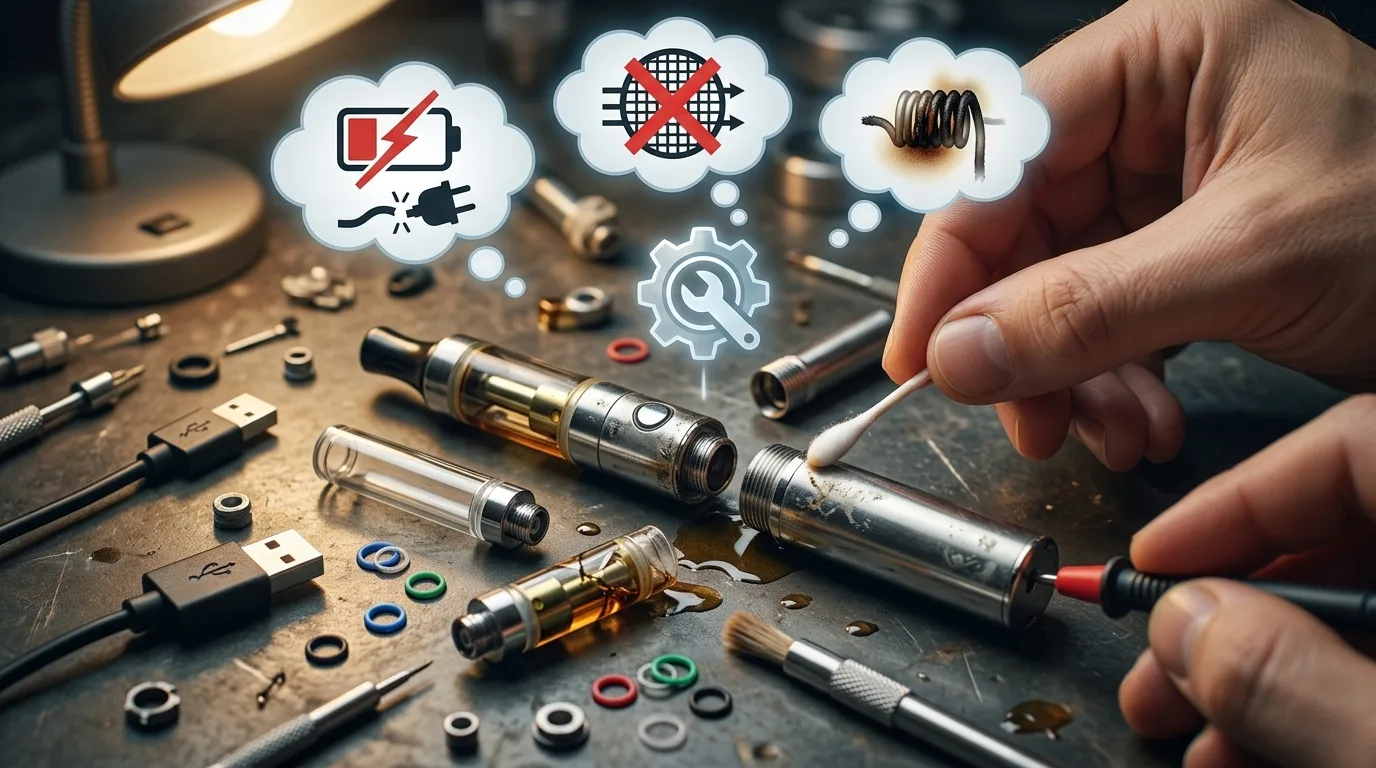
You pull your vape pen from your pocket, press the button, and… nothing. No vapour. No glow. Just silence. It worked perfectly yesterday, and now it's completely dead in your hand. Before you throw it across the room or assume you've been sold a dud, take a breath: most vape pen failures have simple fixes that take less than five minutes. In this troubleshooting guide, we'll walk through the five most common reasons your vape pen isn't hitting, ranked by likelihood so you can solve the problem fast and get back to your session.
Whether you're using a disposable pen or a rechargeable cartridge system, the same handful of issues cause 95% of all "my vape pen won't hit" problems. We'll start with the most obvious culprit and work our way through the less common but equally fixable scenarios. By the end, you'll know exactly how to diagnose, fix, or replace your device without wasting time on solutions that don't apply to your situation.
Dead or Discharged Battery: The Most Common Culprit
Let's start with the obvious: your battery is dead. This accounts for roughly half of all vape pen failures, yet it's the issue most people overlook because they assume they would have noticed. Modern vape batteries don't always give you a low-power warning, especially cheaper disposable models, and many users simply forget the last time they charged their device.
Here's how to check: if your pen has an LED indicator, press the button. If nothing lights up at all, your battery is completely drained. Some devices blink rapidly (usually three times) when the charge is too low to fire. If you see this pattern, plug it in for at least 30 minutes before trying again. For disposables, a dead battery means the device has reached the end of its usable life and needs to be replaced entirely.
How to Properly Charge Your Vape Pen
If you have a rechargeable device, always use the cable that came with it or a certified replacement. Generic USB cables can deliver inconsistent power that damages lithium-ion cells over time. Most vape batteries take 1-2 hours to fully charge from empty. During charging, the LED typically glows red or blinks; once complete, it turns green or solid.
Never leave your pen charging overnight. Overcharging degrades battery capacity and can create safety risks. If your device has been plugged in for three hours and still won't fire, the battery itself may be permanently damaged. This is common in older devices that have been through hundreds of charge cycles.
When a "Dead" Battery Isn't Actually Dead
Sometimes the battery has power, but the connection between the battery and cartridge is blocked by debris or oil residue. Unscrew your cartridge and inspect the threading on both components. You're looking for a thin layer of sticky oil or visible dust. Use a cotton swab dipped in isopropyl alcohol to clean the threads, then let everything dry for five minutes before reassembling. This simple maintenance step fixes about 20% of "dead battery" complaints.
Airflow Blocked by Condensation or Debris
The second most common reason your vape pen isn't hitting is a blocked airflow path. Cannabis oil is viscous, and as vapour travels through the mouthpiece, tiny amounts condense and solidify along the interior walls. Over time, this buildup narrows the air channel until no vapour can pass through, even though the device is technically working perfectly.
To test for this issue, remove your cartridge and blow gently through the mouthpiece from the opposite end. You should feel unrestricted airflow. If you feel significant resistance or no air moves at all, you have a blockage. This is especially common in cartridges that have been used intermittently over several weeks rather than consumed quickly.
The Warm Water Method (Safest)
For minor clogs, run the mouthpiece under warm (not hot) water for 30 seconds while gently blowing through it. The heat softens the condensed oil, and the water pressure helps dislodge it. Dry the exterior thoroughly with a paper towel, then let the internal chamber air-dry for 10 minutes before reattaching to your battery. This method works for about 60% of condensation blockages.
The Paperclip Method (More Aggressive)
For stubborn clogs, straighten a paperclip and gently insert it into the mouthpiece opening. Use a twisting motion to scrape away the oil buildup along the interior walls. Be extremely gentle; you're not trying to drill through anything, just dislodge the sticky layer. After clearing the path, wipe the paperclip clean and repeat until you can blow freely through the cartridge. This technique requires patience, but it's saved countless cartridges from premature disposal.
If neither method works, your cartridge may have a manufacturing defect or the oil has become so degraded that it's essentially hardened inside the chamber. At that point, replacement is your only option. Switching to a cartridge system with better airflow design can prevent this issue from recurring.
Oil Too Thick from Cold Weather
Cannabis distillate changes viscosity dramatically with temperature. What flows smoothly at 22°C becomes thick molasses at 5°C, and in Canadian winters, stepping outside with your pen can make the oil almost solid. When the oil is too thick, the coil can't vapourize it efficiently, and you'll get weak hits or no vapour at all even though the battery is firing.
This issue is instantly recognizable: you'll see the battery light turn on when you press the button, and you might even feel warmth, but no visible vapour comes out. If your pen was working fine indoors and stopped hitting after you went outside, temperature is almost certainly the problem.
The Body Heat Solution
The simplest fix is to warm the cartridge gradually. Hold it between your palms for 2-3 minutes, or tuck it into an interior jacket pocket close to your body for 5 minutes. Never use external heat sources like lighters, hair dryers, or hot water directly on the cartridge; rapid temperature changes can crack the glass or damage internal seals.
Preheat Mode (If Your Device Has It)
Many modern vape pens include a preheat function specifically designed to solve this problem. Typically, you activate it by double-clicking the power button. The battery delivers a low voltage charge for 10-15 seconds, just enough to warm the oil without burning it. If your device has this feature (check the manual or product listing), use it whenever you're vaping in temperatures below 10°C.
For Canadians who vape outdoors year-round, consider keeping your pen in an inside pocket rather than an outer one. The few degrees of difference can mean the gap between a working device and a frustrating block of unvaporizable oil. Disposable pens are particularly vulnerable to this issue because you can't replace the cartridge once the oil gets too cold to flow properly.
Burnt or Worn-Out Coil
Every vape pen has a heating element (the coil) that vapourizes the oil. These coils have a finite lifespan, typically lasting for 1-3 grams of oil depending on usage patterns. Once a coil is burnt, it stops producing vapour effectively and often creates a harsh, acrid taste. If your pen suddenly went from smooth hits to weak or burnt-tasting vapour, coil failure is the likely cause.
You can usually tell a burnt coil by flavour before you even realize you're not getting vapour. The first sign is a slightly charred taste that wasn't there before. If you keep using the device, this progresses to almost no vapour production at all. For disposable pens and pre-filled cartridges, a burnt coil means the device is finished; the coil isn't user-replaceable.
What Burns a Coil Prematurely
Coils burn out faster when you take long, aggressive draws. The extended firing time superheats the element, especially if the oil level is low and the wick can't keep the coil saturated. This is called a "dry hit," and just one or two of these can permanently damage the coil. Always take draws of 3-4 seconds maximum, and avoid chain vaping (taking multiple hits in rapid succession without letting the coil cool).
Low-quality oil with additives or cutting agents also degrades coils faster. Pure cannabis distillate vapourizes cleanly, but cartridges cut with vegetable glycerin or propylene glycol leave residue that gunks up the heating element. If you've been through several cartridges from the same brand and they all burnt out quickly, the oil quality is likely the root issue.
Extending Coil Life
To maximize your coil's lifespan, store your pen upright when not in use. This keeps the oil in contact with the wick, ensuring saturation. Before your first hit of the day, let the pen sit upright for 30 seconds after attaching the cartridge; this allows the wick to fully absorb oil. Also, avoid firing the pen without inhaling; this heats the coil without drawing cooler air through to dissipate heat, accelerating wear.
For devices with adjustable voltage, always start on the lowest setting and only increase if necessary. Higher voltages produce bigger clouds, but they also burn through coils exponentially faster. Most cannabis oil vapourizes perfectly at 3.0-3.5 volts; anything above 4.0 volts is overkill and shortens hardware life dramatically.
Activation Mode Not Engaged or Device Locked
This is the "is it plugged in?" check of vape troubleshooting, yet it trips up users constantly. Many vape pens have safety features that prevent accidental firing in your pocket, and if you don't know how to unlock them, the device appears completely dead. Similarly, some pens require button press patterns to activate, and if you're just holding the button down, nothing will happen.
The most common activation pattern is five rapid clicks to turn the device on or off. Try this first: click the power button five times within two seconds. If the LED blinks three times or changes colour, you've successfully toggled the device. Try firing it again. If it was locked, this simple step just solved your problem.
Draw-Activated vs Button-Activated Devices
Some vape pens are draw-activated, meaning they fire automatically when you inhale through the mouthpiece. There's no button to press. If you've been clicking a button that doesn't exist or trying to inhale without creating a seal around the mouthpiece, you won't get vapour. Check your device documentation: if it's draw-activated, simply place your lips around the mouthpiece and inhale steadily for 2-3 seconds.
Conversely, if you have a button-activated device and you're just inhaling without pressing anything, the pen won't fire. You need to hold the button down while you inhale. This seems obvious, but it's a surprisingly common mistake, especially for users switching between device types.
Voltage or Mode Settings
Advanced vape pens have multiple voltage settings or modes (low, medium, high). If your device is set to the wrong mode or a voltage setting too low to vapourize the oil, it might fire without producing visible vapour. Cycle through the settings by clicking the button three times rapidly. Each click should change the LED colour (typically green for low, blue for medium, red for high). Try firing on the medium or high setting to see if vapour production improves.
Some devices also have a stealth or low-power mode that disables the LED and reduces vapour output. If you accidentally activated this, your pen will seem broken even though it's technically working. Consult your device's manual or product page for the specific button combinations used to toggle modes. Understanding your specific device type prevents confusion between operational differences.
Connection and Threading Issues
Even if your battery is charged and your cartridge is clear, vapour won't flow if the electrical connection between the two components is compromised. This happens when the metal contact pins get pushed down too far, when threading is cross-threaded, or when oil residue insulates the connection points. These issues are less common than the previous four, but they're fixable with basic maintenance.
Inspecting the Connection Pin
At the base of your battery, you'll see a small metal pin or plate that makes contact with the bottom of your cartridge. This pin should sit slightly raised; if it's been pushed completely flat into the housing, it can't connect properly. Use a toothpick or paperclip to gently pry the pin upward by about 1mm. Don't pull too hard; you're just restoring its original position. Once adjusted, screw your cartridge back on and test.
For cartridges with a metal contact on the bottom, ensure it's clean and free from oil. A thin layer of distillate can act as an insulator, preventing electricity from flowing. Wipe both the cartridge base and the battery contact with isopropyl alcohol on a cotton swab, let dry completely, then reconnect.
Proper Threading Technique
When attaching a cartridge, never force it. Start by aligning the threads loosely, then turn the cartridge clockwise slowly until you feel it catch and begin threading naturally. Tighten only until snug; over-tightening can strip threads or compress internal gaskets, leading to leaks or poor connection. If your cartridge feels loose or wobbles, the threading may be damaged. Try a different cartridge to determine if the issue is with the cartridge or the battery.
Some batteries and cartridges use 510 threading, while others use proprietary connections. Ensure your cartridge is compatible with your battery. Forcing an incompatible cartridge onto a mismatched battery damages both components and can create dangerous shorts. If you've recently switched brands or purchased a new cartridge, double-check compatibility before assuming malfunction.
When to Replace Rather Than Repair
Sometimes a vape pen simply reaches the end of its usable life. Lithium-ion batteries degrade with each charge cycle; after 300-500 charges, capacity drops significantly. If your pen is more than a year old and you've tried every troubleshooting step without success, replacement is likely more cost-effective than continued frustration.
For disposable devices, there's rarely a fix beyond the steps above. Once the battery dies, the coil burns, or the oil clogs irreparably, the device is finished by design. This is part of the trade-off for convenience: disposables cost less upfront but can't be repaired or refilled. Understanding your consumption patterns helps determine whether disposables or rechargeable systems offer better long-term value.
Signs You Need a New Device
Replace your vape pen if the battery no longer holds a charge for more than a few hours, if the threading is stripped and cartridges won't stay attached, if the device gets unusually hot during use, or if you notice any cracks or damage to the housing. Also replace if you've cleaned and maintained the device properly but it still won't fire after trying all troubleshooting steps. Continuing to use a malfunctioning device risks poor vapour quality, wasted oil, or safety hazards from electrical shorts.
For users who go through this cycle frequently, investing in a higher-quality device with replaceable parts makes economic sense. A $40 battery that lasts two years costs less per month than repeatedly buying $15 disposables every few weeks. The
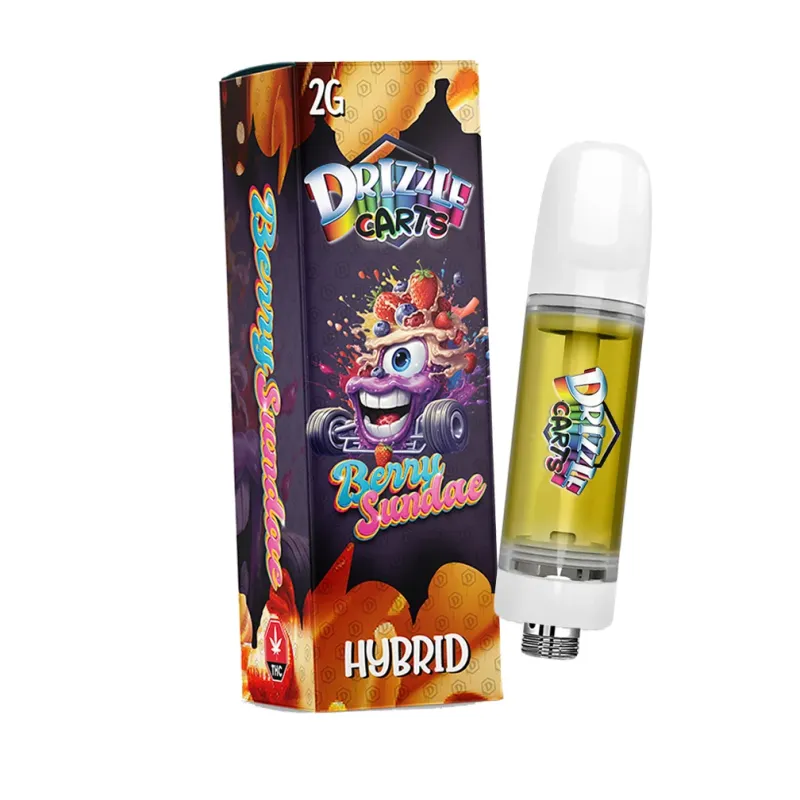
Drizzle Factory 2g THC Vape Cartridges
A Drizzle Factory 2g Berry Sundae Hybrid THC cartridge pictured with a threaded base; v...
offers a reliable rechargeable option with consistent performance and proper thermal control to prevent premature coil burnout.
When you do need a replacement, consider whether your current device type meets your needs. If you're constantly dealing with clogs, a device with better airflow design helps. If battery life is the issue, look for higher mAh ratings. If coils burn out quickly, choose systems known for quality heating elements. Every troubleshooting experience teaches you what features matter most in your next purchase.
Need a Reliable Replacement?
If your current vape pen is beyond repair, explore our selection of high-quality vape cartridges and rechargeable batteries designed for Canadian winters and daily use.
Shop Vape ProductsPreventive Maintenance to Avoid Future Issues
Most vape pen failures are preventable with basic maintenance. Clean the threading and connection points weekly with isopropyl alcohol. Store your pen upright in a cool, dry place away from direct sunlight. Avoid leaving it in your car where temperature fluctuations are extreme. Charge before the battery is completely empty; partial charges are healthier for lithium-ion cells than full drain-and-recharge cycles.
For cartridge systems, rotate your cartridges if you have multiple flavours rather than letting one sit unused for weeks. Distillate can separate or thicken over time when stationary. Give cartridges a gentle shake before each use to ensure even oil distribution. If you're not planning to use a cartridge for more than a week, store it separately in a sealed container in a dark drawer to minimize oxidation and preserve potency.
Pay attention to your draw technique. Slow, steady inhales of 3-4 seconds are ideal. Short, sharp puffs don't give the coil time to vapourize properly, while excessively long draws can flood the chamber or burn the coil. Think of it like sipping through a straw, not gulping through a fire hose. Proper technique extends hardware life and improves vapour quality simultaneously.
Frequently Asked Questions
A blinking LED without vapour production typically indicates one of three issues: the battery charge is critically low (usually three blinks), the connection between battery and cartridge is loose or dirty (usually ten blinks), or the device has a short circuit protection engaged. Try charging fully, cleaning the threads, and ensuring the cartridge is screwed on snugly. If blinking persists, the device may have an internal fault requiring replacement.
Yes, most clogs are fixable. Start by warming the cartridge between your palms for 2-3 minutes to soften condensed oil. Then try gently blowing through the mouthpiece from the opposite end to clear the airway. For stubborn clogs, carefully insert a straightened paperclip into the mouthpiece and twist gently to scrape away buildup. Avoid using external heat sources, as they can damage the cartridge or degrade the oil.
Test by swapping components. Try your cartridge on a different battery, or try a different cartridge on your current battery. Whichever component fails on multiple devices is the problem. If you don't have spare parts, check if the battery LED lights up when you press the button. No light usually means dead battery. Light comes on but no vapour means the issue is likely with the cartridge or connection.
Intermittent performance usually points to a loose connection or temperature-sensitive oil. Ensure your cartridge is screwed on firmly but not over-tightened. Clean both the battery contact pin and cartridge base with isopropyl alcohol. If the pen works better indoors than outdoors, cold weather is thickening your oil; warm it gradually before use. Inconsistent hits can also indicate a failing battery that can't maintain consistent voltage output.
No, continuing to use a burnt coil is both unpleasant and potentially harmful. Burnt coils release degraded metal particles and produce acrid vapour that can irritate your throat and lungs. Once a coil tastes burnt, it's permanently damaged and won't recover. For disposable pens, this means the device is finished. For cartridge systems, replace the cartridge immediately. Burnt taste means you're inhaling combustion byproducts rather than clean vapour.
Quality vape pen batteries typically last 300-500 full charge cycles, which translates to 12-24 months of regular use depending on frequency. Signs your battery is dying include rapidly decreasing charge retention, taking longer to charge, getting warm during normal use, or failing to deliver consistent power output. If your battery is less than six months old and failing, it's likely defective and should be replaced under warranty if possible.
Conclusion: Troubleshooting Gets You Back to Vaping Faster
A vape pen that won't hit is frustrating, but now you have a systematic approach to diagnosis. Start with the battery (charge it), check for airflow blockages (warm water or paperclip method), warm thick oil (body heat or preheat mode), verify the coil isn't burnt (taste test), and confirm activation (five clicks). These five checks solve 95% of all vape pen failures in under ten minutes, saving you from unnecessary replacements and getting you back to your session quickly.
Remember that vape pens are electronic devices with consumable components. Coils wear out, batteries degrade, and oil clogs airways. Regular maintenance,cleaning threads, storing upright, avoiding temperature extremes,prevents most issues before they start. When a device does reach the end of its life, choosing a quality replacement with better engineering reduces how often you'll need to troubleshoot in the future. Understanding how your device works transforms frustration into quick fixes, keeping your vaping experience smooth and uninterrupted.